

The topic 10 Fun and Quirky iPhone Duo Apps Worth Checking Out is drawing steady attention: readers, analysts, and industry watchers are all tracking how the story may unfold in the days ahead.
This is taking place in a fast-moving context — product cycles, platform shifts, and competitive moves can reshape the outlook quickly, so the details below are worth a careful read.
What follows is a clear walkthrough of the main facts and angles you need to make sense of the news.
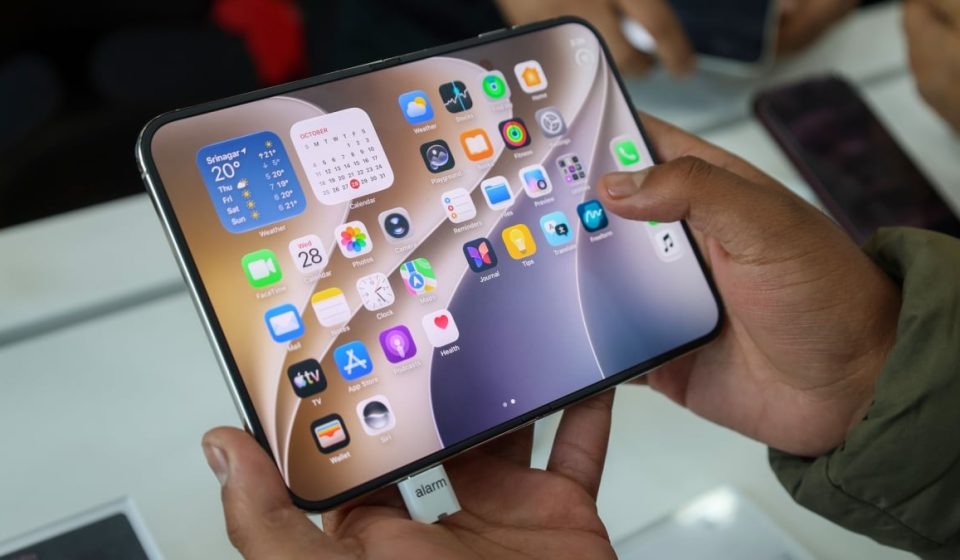
The launch of the iPhone Duo marks the first time that Apple has fundamentally changed the form factor of the iPhone. This is an exciting development because, among other reasons, it allows app developers to get even more creative. If you have an iPhone Duo, plan to get one, or if you’re just interested in creative app interfaces, then you should take a look at these apps.

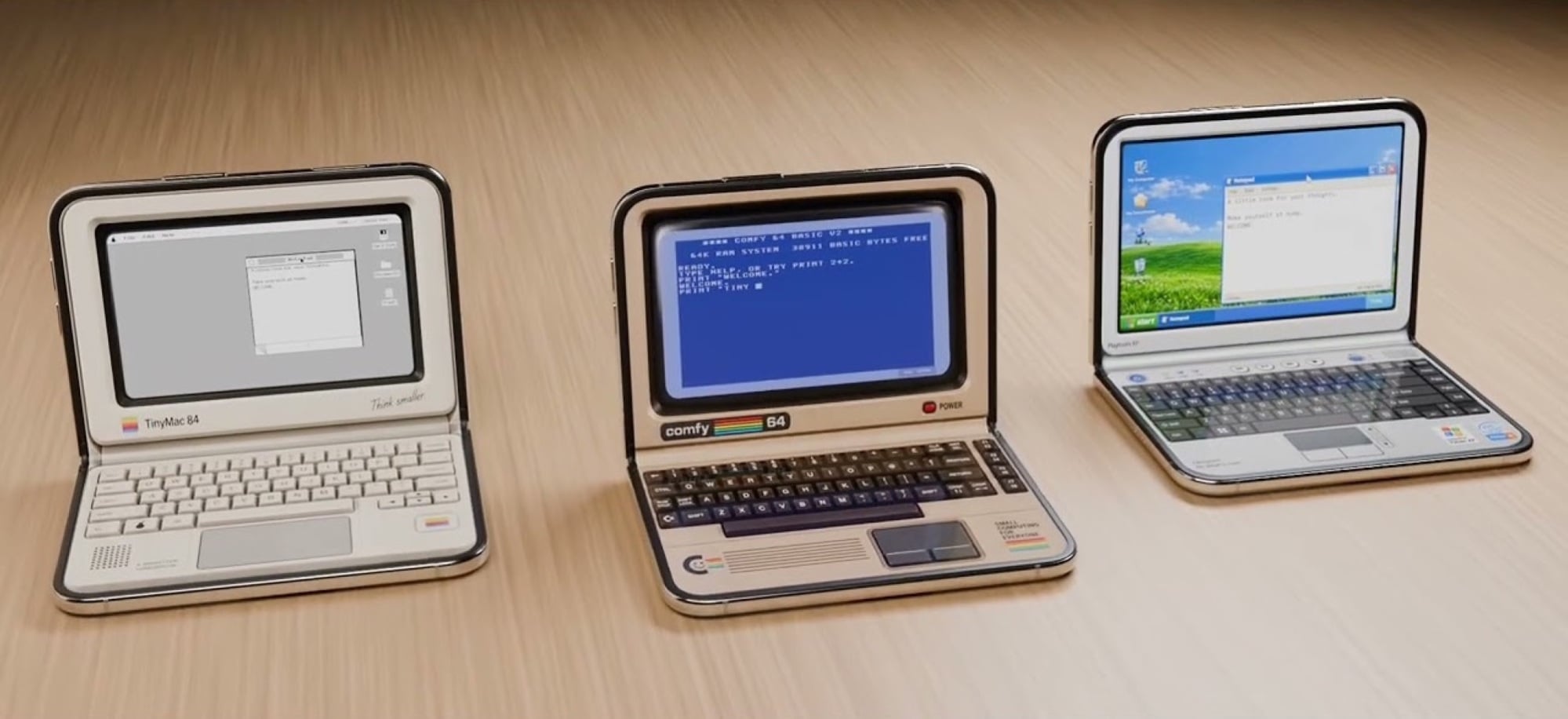
With Tiny Computers ($4), when you use the Duo half-open, it turns the bottom display into a keyboard, and the screen goes up top. The app features computers inspired by Commodore 64, Windows 95, iMac G3, Macintosh, IBM PC, Amiga 500, ThinkPad, iBook G3, Powerbook G4, and Windows XP. The attention to detail is great, but early App Store reviews mention that the app can be buggy.
I miss the tactile nature of playing music on my cassette player at home, and my old Sony Walkman clone. Deck-Man ($5) is an app that brings the Walkman’s interface, complete with all the clicks and clacks, to your iPhone Duo. Each time you play an album, Deck-Man lets you “insert” the cassette in the player before it starts playing. The app links to your Apple Music account and it also supports playing local music files.
Foldissimo (free, $10 to unlock all songs) simulates the sound of airflow in an accordion as you fold and unfold your iPhone Duo. It has some songs pre-loaded, and you can pay $10 to unlock all songs. Foldissimo also supports a few other instruments (accordion organ, panpipes, and theremin), but you’ll need to pay an additional $10 to unlock those.
With Flipcorder ($5), while the viewfinder and the retro interface are visible to you when you have the Duo in tablet mode, your subjects can also see the frame via the outer display. When you fold the Duo, the app saves the clip, and allows you to record up to 30 minutes of video per day, each of which is saved in a virtual “tape.”
Orisuji ($5) is a puzzle game where you solve mazes by folding your iPhone Duo. It has 69 levels, and you’ll be solving most of these by folding or unfolding the device to shift the position of the maze to make your characters move, unlock doors, or to find keys to get past locked doors.
Toastie ($3) is a game where you, well, make sandwiches: It has 10 recipes for you to master, with a time limit of 15 seconds per step as your in-game customers wait for you to serve them. You fold the phone to “cook” the sandwich; leave it folded for too long and you’ll end up with burnt toast.
Marbles Unhinged (Free, $3/each to unlock all levels in a world) is a puzzle game where you guide a marble towards the exit in each level. When you fold your iPhone, it turns the top half of the level into a ramp, and alters the speed of the marble. You can keep the phone at different angles to change the nature of the stage, which will lead you to the solution.
ChompDuo (Free, $1 to unlock all monsters) uses the Duo’s folding mechanics to make monsters “chomp” down, and you’ll feel each bite via haptic vibrations. When you close the Duo, the monster’s eyes stare at you from the outer display. It’s a silly app that you or your kids could enjoy playing around with.
Unfold Your City (Free, $5 to unlock all cities) simulates pop-up books to guide you through the highlights of different cities. It reminds me of Robert Sabuda’s beautiful pop-up books, especially when you use the app on iPhone Duo. It slowly pops up the artwork for each city as you unfold the device, and displays the cover when you close the “book.”
In the Pokémon anime, the Pokédex is an encyclopedia that catalogs information about your friendly neighborhood pocket monsters. Dex Fold (Free, $3 to unlock optional features) simulates the device from the anime, which means that you can only use the app when you unfold the iPhone Duo.