

The topic Apple Watch’s AI features for rewinding and recapping conversations begin beta… is drawing steady attention: readers, analysts, and industry watchers are all tracking how the story may unfold in the days ahead.
This is taking place in a fast-moving context — product cycles, platform shifts, and competitive moves can reshape the outlook quickly, so the details below are worth a careful read.
What follows is a clear walkthrough of the main facts and angles you need to make sense of the news.
Apple’s AI-powered “Audio Intelligence” technologies for the Apple Watch is now rolling out into beta testing, initially for developers in the iOS 27.3 update, after first being announced at the company’s Surprise and Shine hardware event in September. The technologies includes a set of four opt-in AI features that allow Apple Watch Series 12 wearers to detect important sounds, identify songs, catch up on conversations, and take notes.
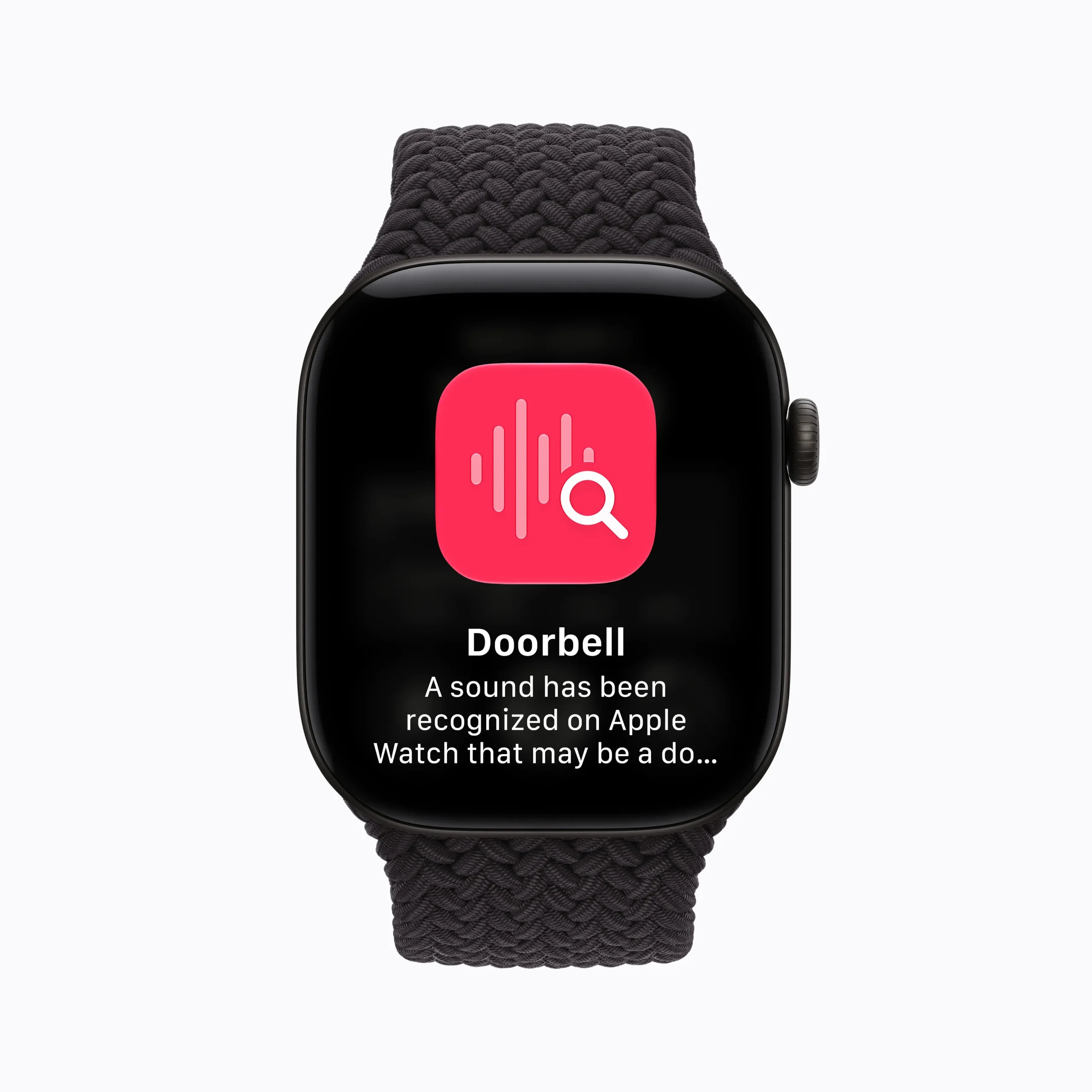
The sound recognition feature will help deaf and hard-of-hearing users identify important sounds like sirens, alarms, or doorbells from their watch, while the song recognition feature taps into Apple’s Shazam app to detect music playing in the background and identify the song name and artist.
However, the more potentially controversial features are those that listen to human conversations: Live Rewind and Siri Recaps.
Given the backlash to AI recording devices, like Meta’s AI glasses and other AI wearables, Apple has attempted to carve out a space where the features can be useful to Apple Watch owners, while still respecting the privacy of those around them.
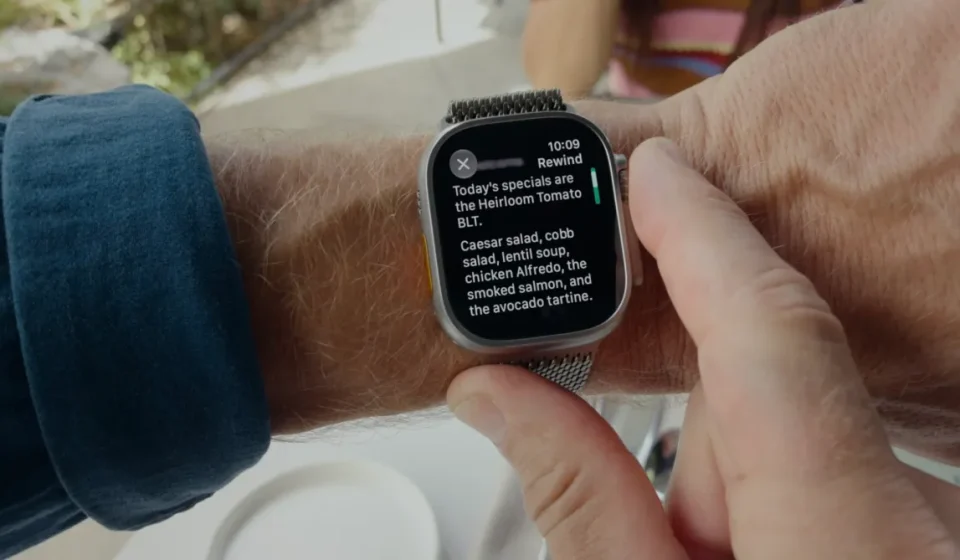
With Live Rewind, the idea is to let you go back in time to see what someone just said, in case you missed it. For instance, if someone was giving you verbal directions or reading a long list of specials at a restaurant, you could double-press on the Watch’s digital crown to see what was said in the last 15 seconds as a text snippet displayed on the watch face. You can either view this snippet and then do nothing, and it will disappear permanently. Or you can save it to the standalone Siri app that shipped with iOS 27 for later access, which might be helpful if you’re trying to remember someone’s name or take a quick note from a fast-paced presentation.
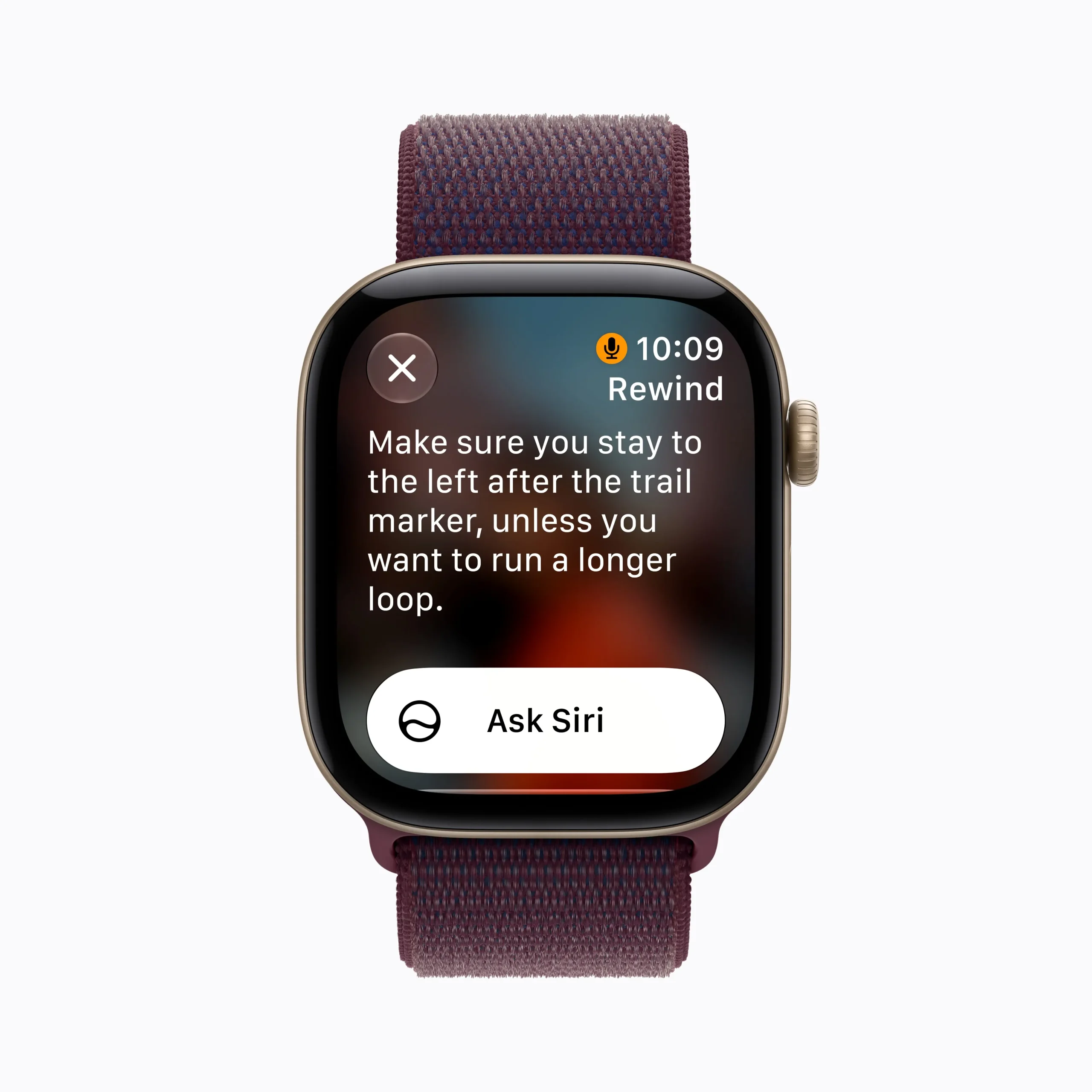
Apple says that users will also be able to tap an “Ask Siri” option that appears below the text snippet if they have questions about something that was said — like a technical term they don’t understand, or perhaps some sauce option the waiter mentioned that they’re unfamiliar with, among other things.
When you double-press the digital crown, an audible chime appears and an animation displays on the watch. This is meant to signal to people through the combination of the gesture, sound, and the visual display that you’ve recorded something that was said.
These snippets will be deleted automatically after 30 seconds if you don’t save them.
The other option, Siri Recaps, takes this ambient listening technologies even further by allowing Apple Watch owners to take high-level notes of their conversations.
importantly, Apple says it’s not identifying speakers, saving the raw audio, or providing word-for-word transcriptions. Instead, the feature summarizes a conversation with a short sentence and some bullet points that identify key points. For instance, depending on the topic, the bullet points might include things like important dates or deadlines, pricing or payment plan information, and other factual information.
Apple suggested the feature could be used in scenarios like work meetings, parent-teacher conferences, personal training sessions, or other places where you may need to remember what tasks you have to complete or things that were said. Essentially, it’s supposed to mimic a user’s ability to jot down their own notes — without adding emotion or tone.
This could be helpful particularly at times when you aren’t able to write up your own notes, either because your hands are full or you’re trying to concentrate on whatever’s being said at the time. The recaps won’t record conversations when you’re listening to music with your headphones or using their noise cancellation features.
At the end of the day, you’re prompted to review your saved Siri Recaps when the feature is enabled, and then choose which, if any, you want to save. These notes can be saved to your Notes app or even exported to your Journal app, if they’re more personal in nature. If you do nothing, the recaps will delete themselves within seven days.
This reminder to review the Siri Recaps you’ve recorded also appears when you first unlock your Apple Watch in the morning, too.
Users can opt to enable the Siri Recaps manually, or they can configure a schedule, such as only having the recapping take place while at work, or making sure that they never run at night. Even if they’re running on a schedule, you can still turn off the recapping feature at any time from the Control Center.
Apple notes that Siri Recaps has been designed to omit sensitive information like government-assigned identifiers, financial and authentication data, certain personal identifiers, and any language that would promote self-harm.
The Audio Intelligence features for the Apple Watch Series 12 and Apple Watch Ultra 4 rely on a combination of Apple’s hardware, software, and services. This includes the S11 chip, built-in microphone, and the Apple Intelligence models that run on the iPhone, as well as Apple’s Private Cloud Compute.
The always-on processor includes a secure enclave — a hardware-protected memory space that can’t be accessed by the rest of the operating system — where a dedicated audio buffer processes the raw audio. This allows the audio to be processed without it actually being accessible to anyone, including Apple. The audio is only accessible to the paired iPhone through a secure pairing mechanism between it and the watch.
To work, lightweight AI models on the S11 chip on the Apple Watch detect if there’s a conversation happening that the wearer is a part of, which is then transferred to the secure enclave on the iPhone. On-device processing on the iPhone turns the audio into condensed text, meaning the text of the conversation with the filler words removed. This condensed text is then encrypted and sent to Apple’s Private Cloud Compute (PCC) to create the recap of the conversation that is sent back to the phone. (The recap and any summarizations used to create it are deleted from PCC immediately afterwards).
The recaps you can then access on your iPhone are only accessible to you, not to Apple. And they’re encrypted when they’re synced between your multiple Apple devices.
Similarly, Apple Watch transfers audio to the iPhone for processing to create the 15-second snippets for Live Rewind.
Apple says none of these features should impact the battery life of your watch or phone. The features will later roll out to the public beta for broader testing before becoming publicly available to all.