

The topic Concat Might Just Be the Ultimate Open-Source Replacement for CapCut is drawing steady attention: readers, analysts, and industry watchers are all tracking how the story may unfold in the days ahead.
This is taking place in a fast-moving context — product cycles, platform shifts, and competitive moves can reshape the outlook quickly, so the details below are worth a careful read.
What follows is a clear walkthrough of the main facts and angles you need to make sense of the news.
When you think of video editing, CapCut is a popular name that would pop up. It has made short-form editing painless. However, it has now started to put more of its tools behind a paywall, and a few of them need an internet connection to work.
If you are looking for a way out, you have probably already seen OpenReel, the browser-based open-source editor, or gone through our list of the best free video editing software. This time we have something different. Concat takes a different route. It is a free, open-source editor that runs on your own computer and is loaded with features like captions, voiceovers, and background removal built in.
Concat is a video editor that is currently in beta. The idea behind its development is easy to understand: It wants to give people stuff that CapCut offers but for free, like auto-captions, text-to-speech, background removal, keyframes, effects, titles, and 4K export. Everything Concat has on offer comes without strings attached. You don’t need to sign up, no watermark stamped on your exports, and no premium tier waiting around the corner.
The other big difference is where the work happens. Concat does everything locally, on your machine. It is built on a native Rust engine with a GPU compositor, and the AI models it uses (for captions, voices, and cutouts) are downloaded once from the settings and then run offline. This means the raw footage that you upload never gets uploaded anywhere.
CapCut is still a great editor, and nobody is pretending otherwise. When we compared it with Instagram Edits, we pointed out that CapCut has the richer feature set, but also that some of its tools need a connection and that its template and music ecosystem is tied closely to TikTok, which owns it. And if you are in India, you already know CapCut is banned here. So, you have to download the modded version or depend on some ad-filled alternatives.
That is the gap Concat is trying to fill. Not a “lite” version of a big editor, but a free one that keeps the stuff you reach for every day and keeps it on your own PC.
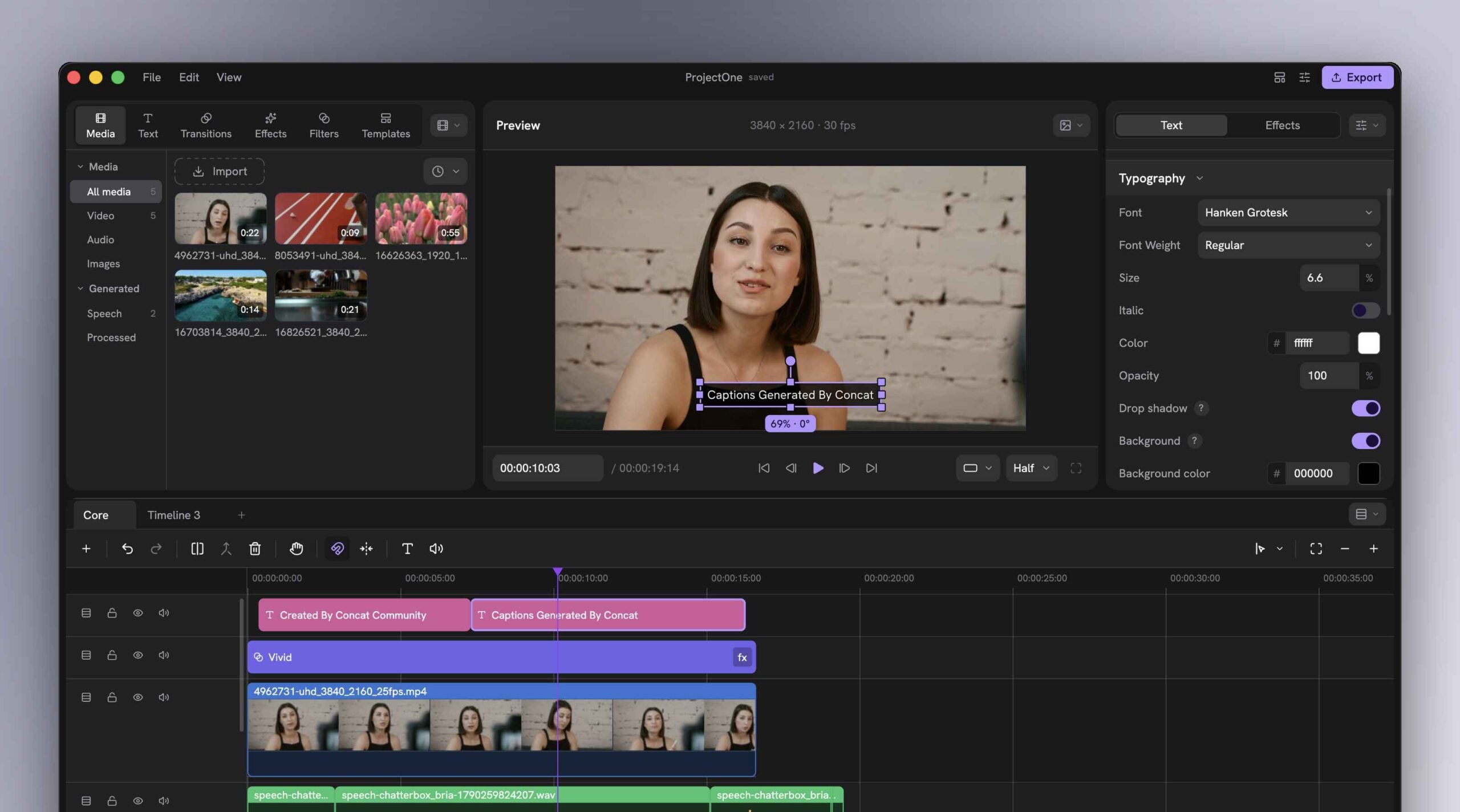
Captions are quite important nowadays, as content is reaching every part of the globe. But it is a chore every Reels and Shorts editor knows too well. Concat handles them using Whisper, a speech-recognition model that runs locally. You pick a model size (you can choose larger models, which are more accurate but require a stronger machine), and styled captions appear straight on your timeline. No upload, no waiting on a server, and it keeps working without internet.
Concat gives you free voices for narration, which is handy for tutorials or faceless channels. You can also clone a voice from just a few seconds of recording. That’s nice to edit a flubbed line without re-recording a whole take.
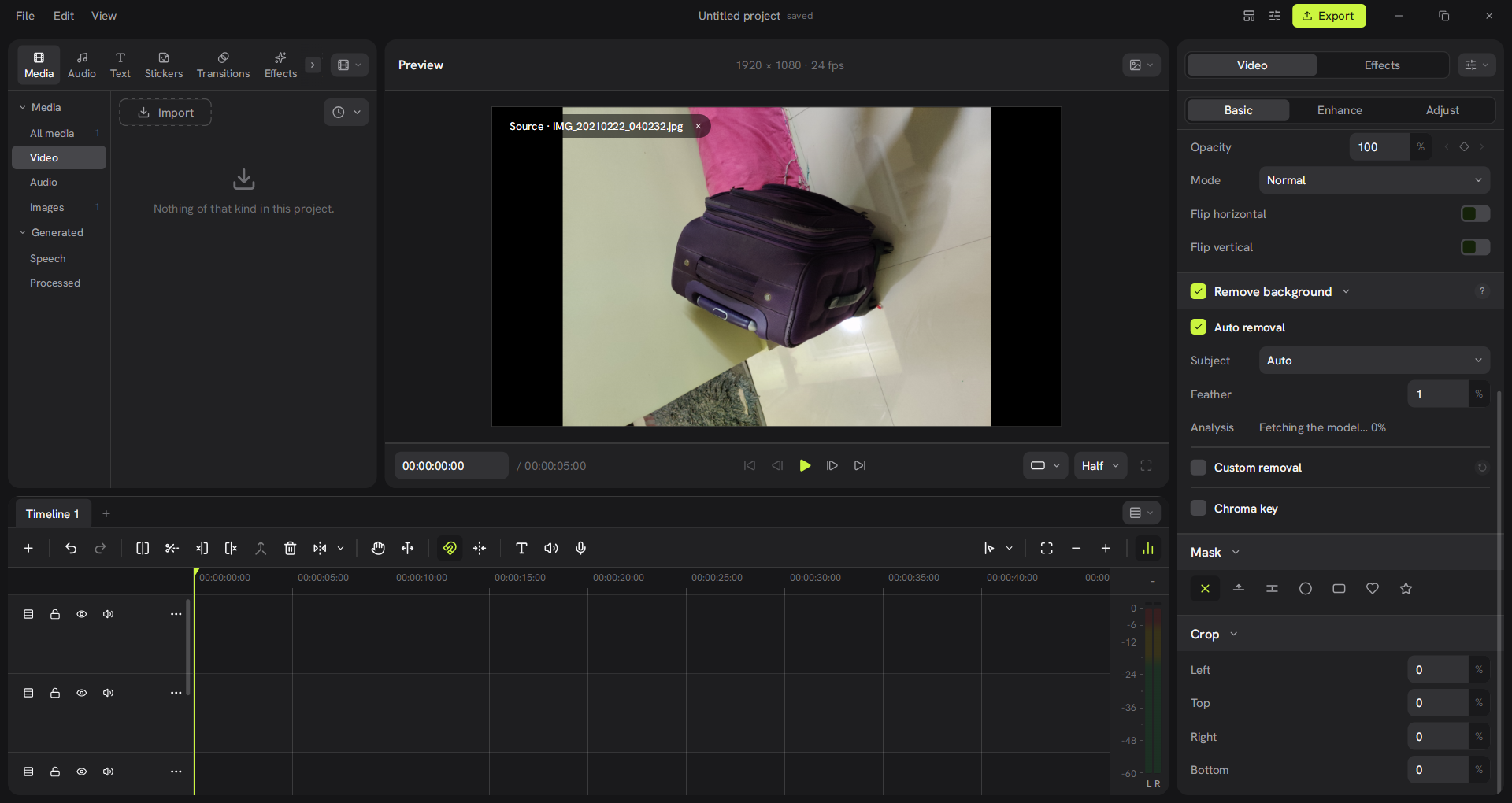
You might have removed people or objects from your images. For videos, most of the editors ask you to pay. But Concat lets you edit out people or objects from a clip for free. If the automatic cutout misses a spot, you can paint the mask manually.
With keyframes, you can animate almost anything over time: position, scale, rotation, opacity, volume, and the settings of effects. There is a built-in curve editor too. You can use this to make a zoom feel smooth instead of mechanical, something that a paid video editor offers.
Concat comes with about 100 effects, filters, and transitions. They are rendered by your GPU and show up live in the preview. This way you can see what you are doing instead of waiting for an export to find out.
You get everything like split, trim, ripple delete, merge, freeze frame, and speed changes. If you like clips snapping together without gaps, you can switch on a magnetic timeline. Additionally, you can stack as many tracks as you want for overlays and picture-in-picture, keep several timelines inside a single project, and use blend modes like screen, add, and multiply. Crop and flip tools are there as well.
You can change fonts, add strokes and shadows, and drop in a background plate behind the words. If you don’t have any ideas, you can start from the already available presets.
If your video has bad audio because of a faulty microphone or nearby noise, it can spoil a good video more than bad lighting does. Concat has a simple toggle for noise reduction, voice enhancement, and loudness leveling. You can also change voice effects to chipmunk, robot, and telephone.
Now, the best part is that with Concat, there is no limitation on export. It supports H.264, HEVC, and AV1, up to 4K at 60 frames per second with 10-bit colour.
Moreover, the editor is available in 26 languages. Downloading and setting up Concat is simple. Here’s what you need to do:
Concat is promising and has all the features you would need from a video editor that is trying to be an alternative to CapCut. But don’t forget that it is young, and there are a few caveats that you should know about.
Once you have the clarity, you should give Concat a try and let its output help you decide if you should keep using it or not. Let us know in the comments below which editor you are currently using.