

The topic Can You Turn Off Reposts on TikTok? Here’s What You Can Do Instead is drawing steady attention: readers, analysts, and industry watchers are all tracking how the story may unfold in the days ahead.
This is taking place in a fast-moving context — product cycles, platform shifts, and competitive moves can reshape the outlook quickly, so the details below are worth a careful read.
What follows is a clear walkthrough of the main facts and angles you need to make sense of the news.
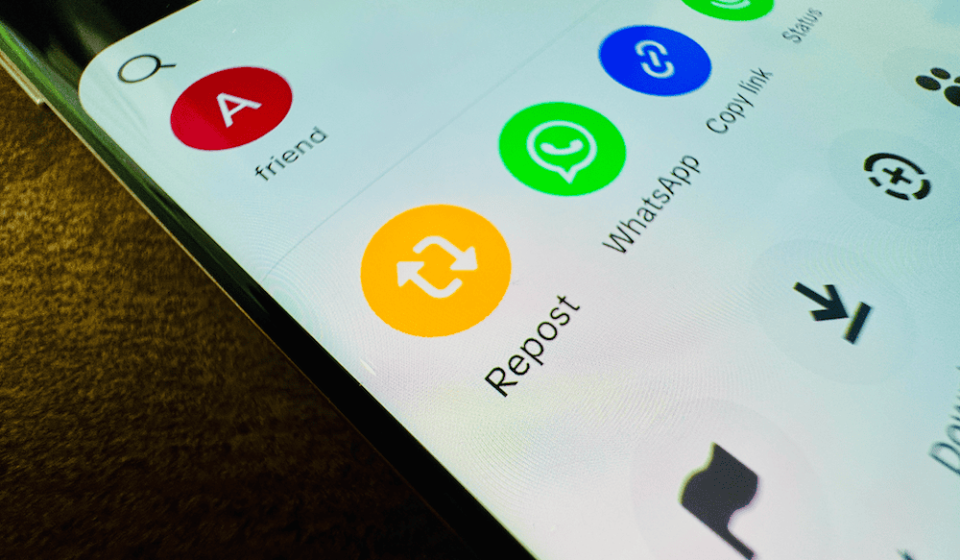
Do people keep reposting your TikTok content? If you want to know how to turn off reposts on TIkTok, you may be disappointed.
If you find a post you like on TikTok, you can repost it so your followers can get to see it too. If you keep reposting things by mistake, or you don’t want people to repost your content, you might want to disable reposts rather than changing your phone number on TikTok and starting again. What you’re able to do is actually fairly limited.
If you search online, you may come across articles explaining how to disable reposts on TikTok to prevent other people from reposting your content. These articles will claim that there is a Repost toggle in the Settings and privacy options that you can turn off to magically block people from reposting your content.
Unfortunately, this isn’t the case. At the time of writing, there is no such toggle to turn off reposts on TikTok. You can’t just flip a toggle and stop people from reposting your content. There’s also nothing to stop people from copying a link to your TikTok post and sharing it wherever they want.
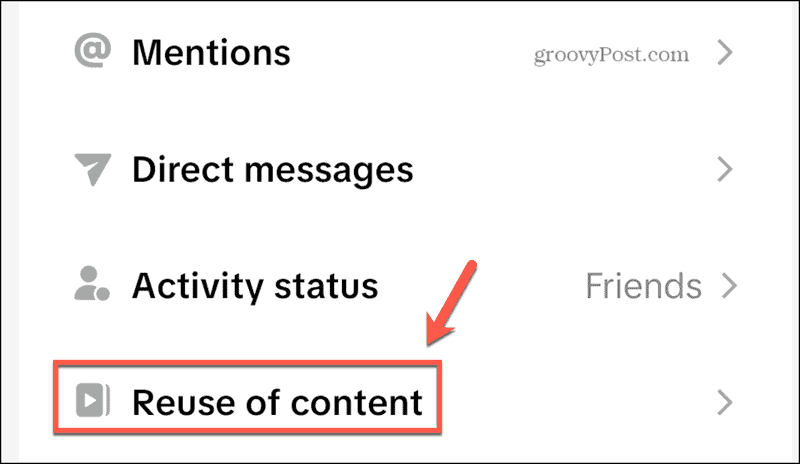
While there isn’t a way to stop reposting on TikTok, you can block people from reusing your posts in other ways. It’s possible to stop people from using your posts in TikTok Duets and Stitches, from creating stickers from your posts, and from adding your posts to Stories.
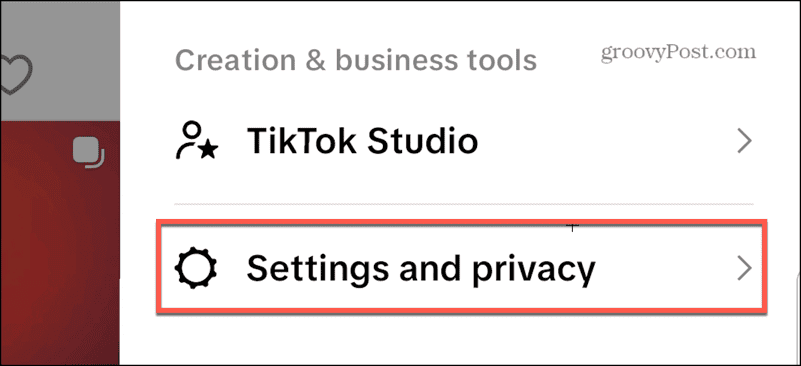
If you want to stop any of your posts being reused in these ways, you can use a global setting to stop anyone who isn’t a friend from reusing your content.
If you want to stop a specific post from being reused, you can disable reuse before you post the content.
If you’ve already posted, you can still turn this option off. This will stop anyone from reusing your content from that point on.
If you reposted someone else’s content but have since changed your mind, you can delete any comments you might have made. You can then remove the repost. There are three official methods to stop reposting on TikTok.
You can use the Share button to repost content, but you can also use it to remove reposts you’ve already shared.
You can also remove a repost on TikTok by tapping and holding the post.
Another option is to delete TikTok reposts through your profile photo.
While there’s no TikTok setting specifically for blocking people from reposting your content, you can limit who can see your perfectly edited TikTok posts in the first place. If someone can’t see your posts, then there’s no way for that person to repost them.
The nuclear option is to make your account private. This means that the only people who can see your posts are your approved followers. Your posts are not accessible to anyone else.
This doesn’t stop your followers from reposting your content. It only restricts who can see the posts in the first place. Any of your approved followers will still have access to your posts, so they’ll still be able to repost them.
If you’re sick of seeing reposted content in your TikTok feed, unfortunately there’s no way to hide reposts from other accounts. You won’t find a toggle in the TikTok settings that will stop reposted content from appearing in your For You feed, and you may not want to take the nuclear option of unfollowing everyone on TikTok.
The best you can do is mark unwanted videos as Not interested, which tells TikTok to show you fewer posts of that type.
Because it’s not possible to block people from reposting your TikTok content, if you create popular videos, they may be reposted a lot. You can then end up with a constant stream of notifications telling you that someone has reposted your content.
If this becomes annoying, you can turn off the repost notifications in TikTok. You’ll no longer receive repost notifications.
Some websites might lead you to believe that it’s possible to disable reposts on TikTok to stop other people from reposting your videos. Unfortunately, that’s not the case. While you can control how your posts are reused, the only way to stop reposting on TikTok is to block access to your content in the first place.
Your email address will not be published. Required fields are marked *
Save my name and email and send me emails as new comments are made to this post.